
Click HERE for an interactive tutorial. Scroll to the bottom for animated steps.
Detailed Step-by-Step Tutorial
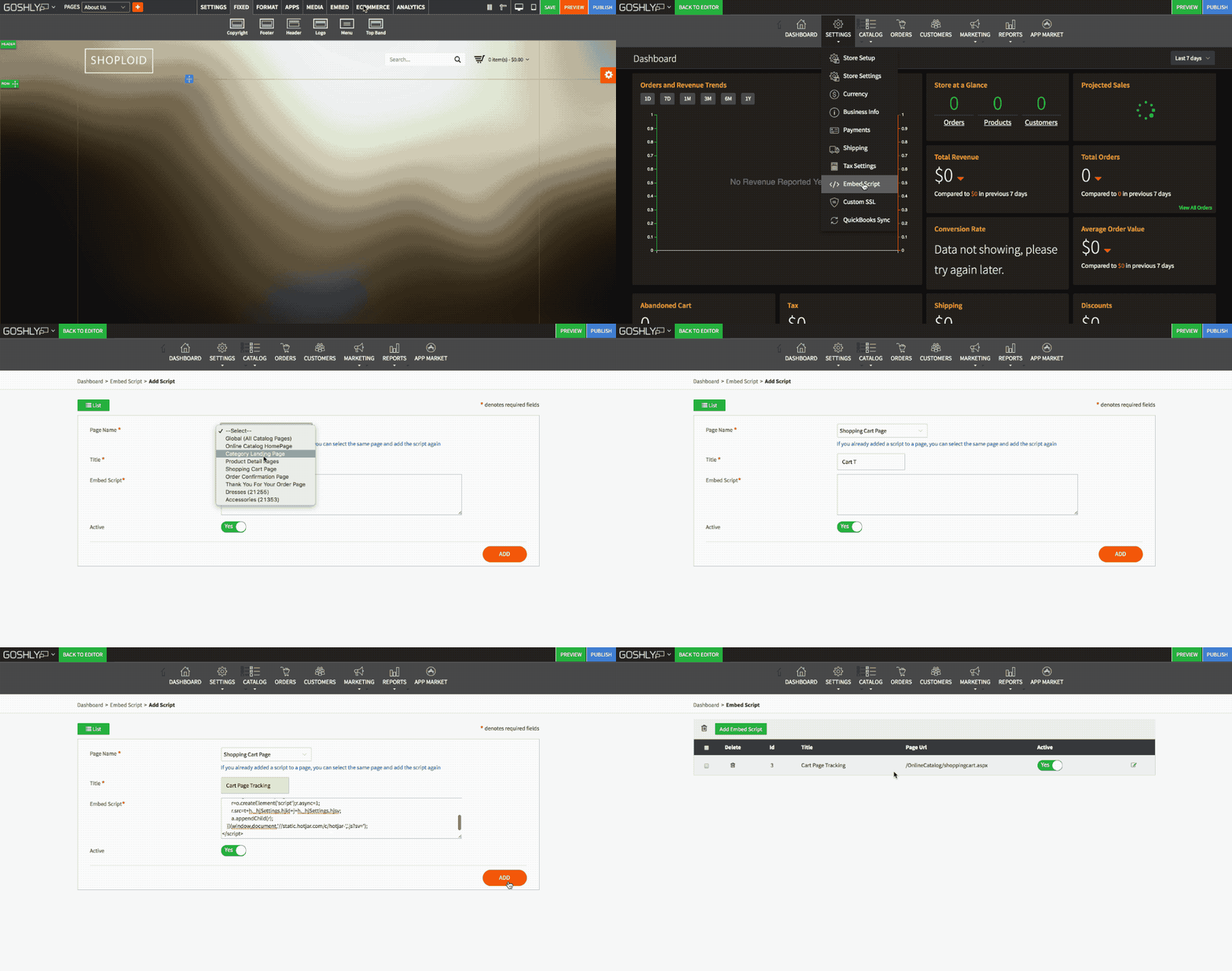
- Go to ECOMMERCE > Store Management.

- Go to SETTINGS > Embed Script.

Add Embed Script
- Click Add Embed Script button

- Page Name: Select a page you would like to embed script into.
- Title: Enter a title for the script.
- Embed Script: Paste the script you would like to embed.
- Active: Toggle ON/OFF to enable or disable the script.
Click ADD button to complete adding the script.

Comments