
Click HERE for an interactive tutorial. Scroll to the bottom for animated steps.
Detailed Step-by-Step Tutorial
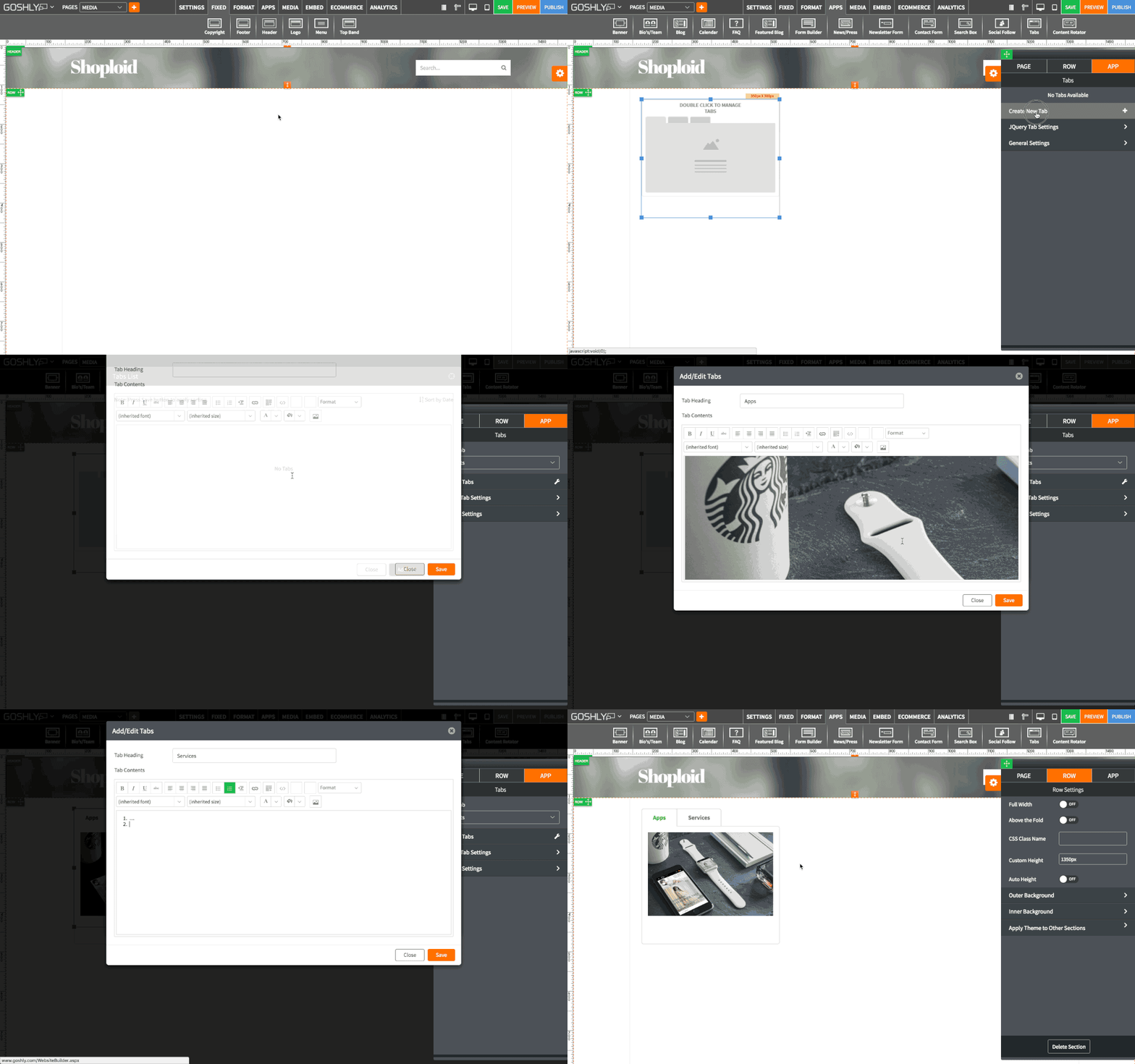
Add Tabs
- Go to APPS at the top of the screen.
- Drag Tabs widget to an area of the page where you'd like to add it to.

- Double-click on Tabs or highlight it and go to Settings pane > APP.
- Select Tab: If you've previously created a tab gallery, you can choose it from the dropdown. If no tab gallery has been previously created, then No Tabs Available will be displayed. You can create a new tab gallery in Manage Tabs.
Manage Tabs
Use this menu to manage existing galleries and their tabs, and to create new galleries.
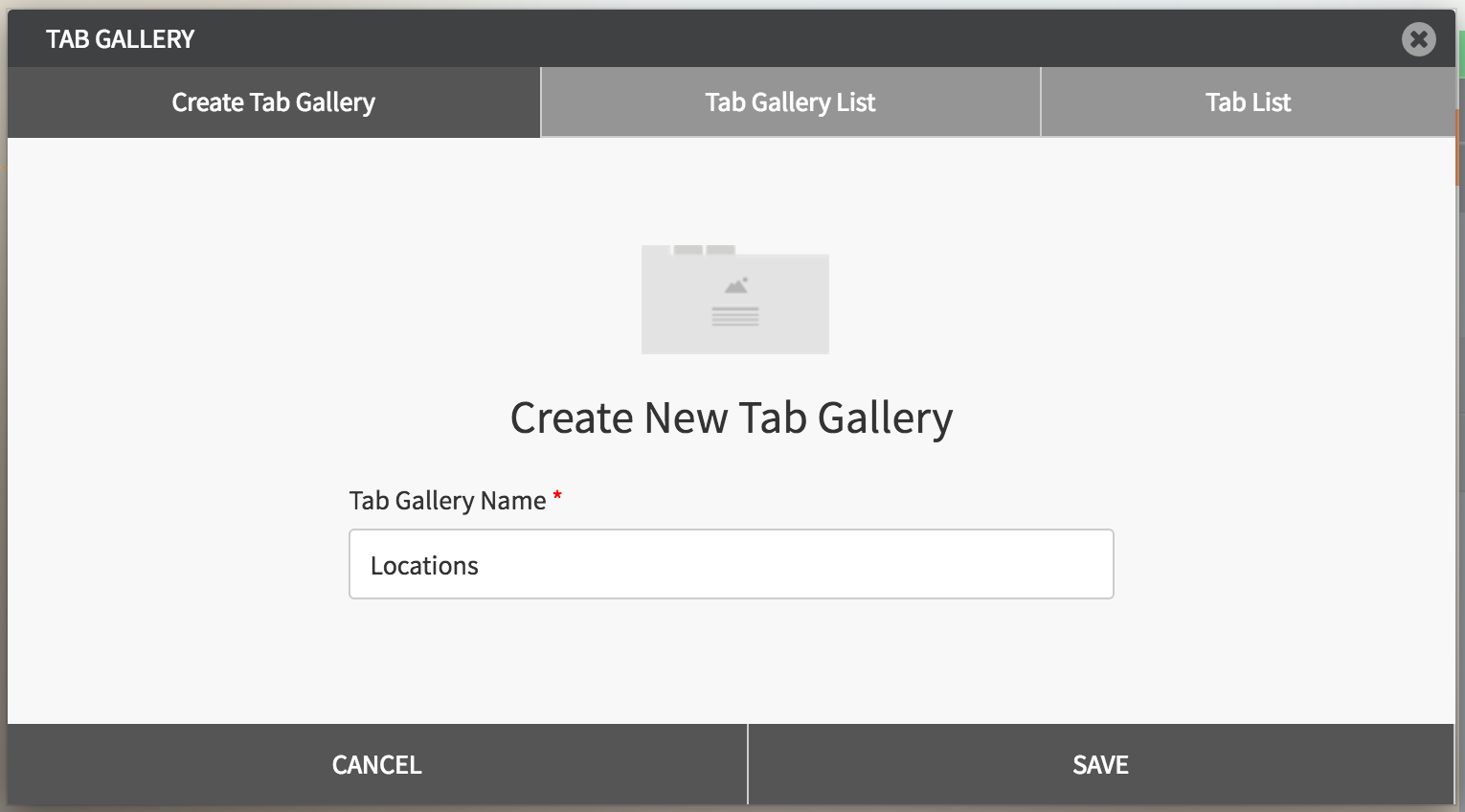
Create Tab Gallery
- Name and Save a new tab gallery.
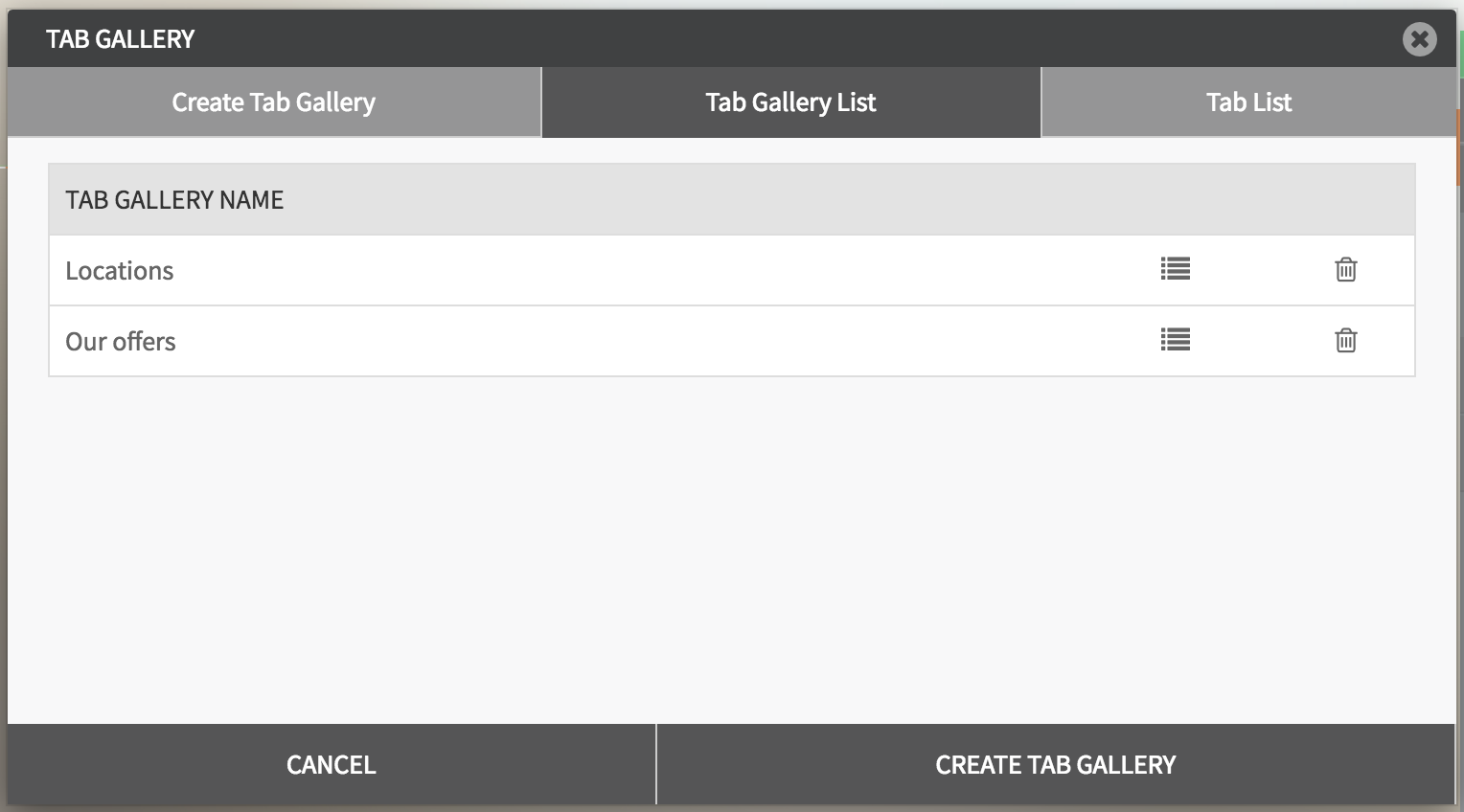
Tab Gallery List
- Displays a list of your tab galleries.
- Click tab list icon for a gallery to add / edit gallery's tabs.
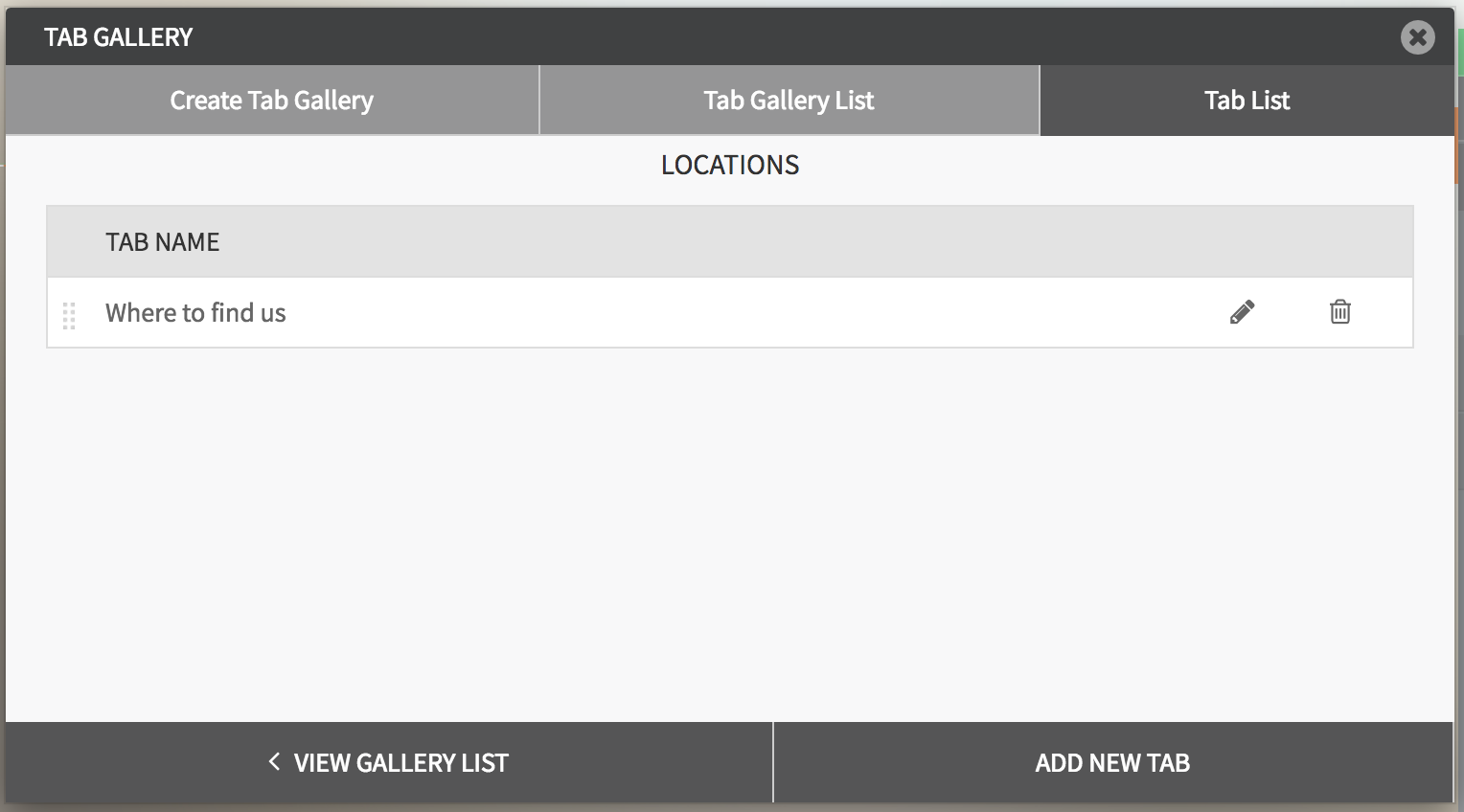
Tab List
- Displays existing tabs for a chosen gallery.
- Allows to edit existing tabs.
- Click ADD NEW TAB button to add a new one.
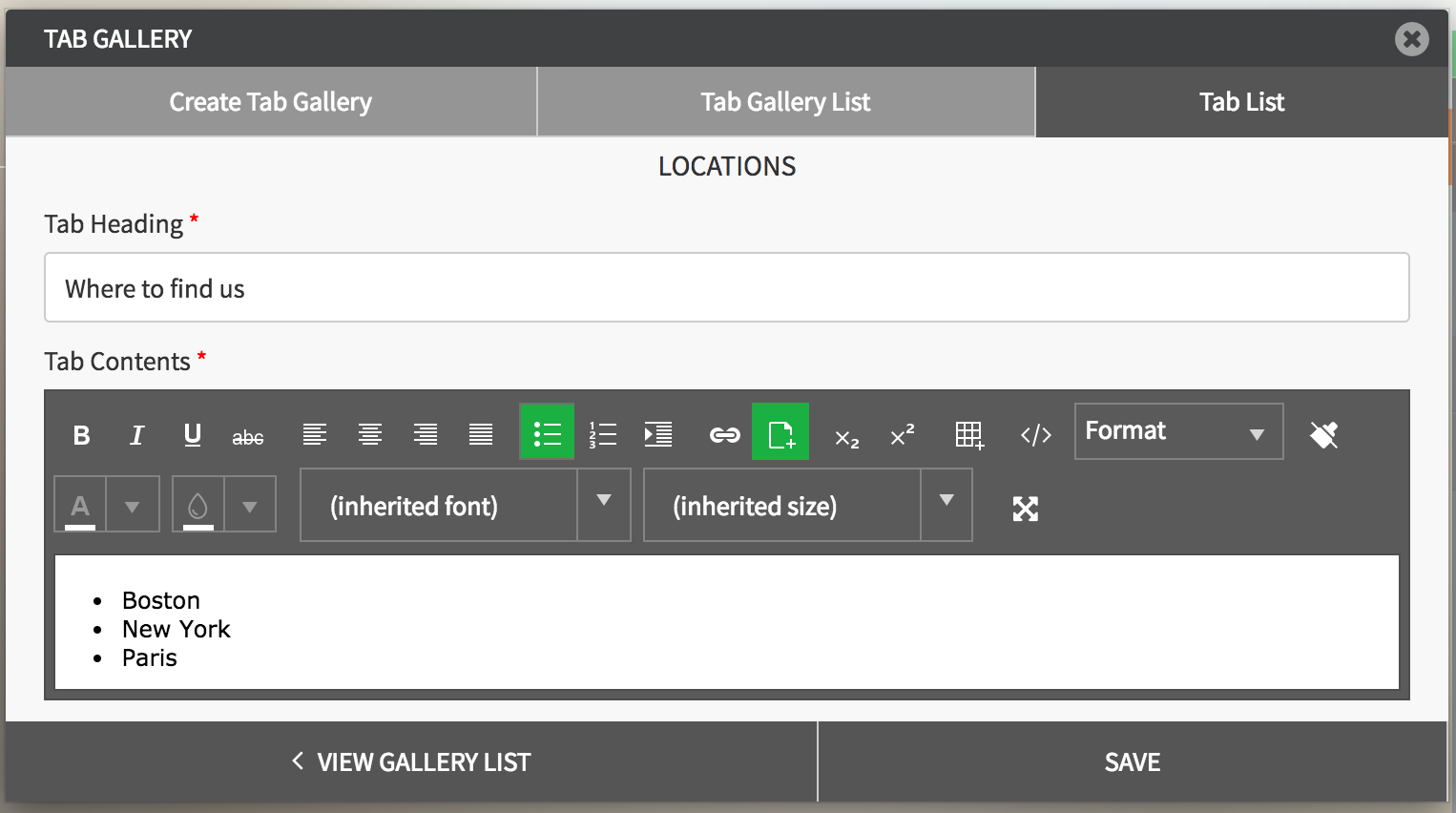
- When creating a new tab, enter Tab Heading and Tab Contents, that can be formatted using the formatting bar.
General Settings
- Title: Enter the title.
- Show as Tooltip: Show the title as tooltip (text that appears when your mouse hovers over the blog).
- Top: Set top margin.
- Left: Set left margin.
- Width: Set the width.

Background:
- Color: Choose background color.
- Opacity: Set opacity for the background.
- Image: Enable to use an image as a background.
- Size: Choose background size (i.e. auto, 100%, etc.).
- Position: Set position of the background.
- Repeat: Choose repeat type for the background.

Border:
- Color: Choose border color.
- Style: Chose border style.
- Width: Choose the width of the border.
- Radius: Choose border corner radius.

Box Shadow:
- Shadow: Toggle ON to create a shadow for the tabs.
- H-Shadow: Set horizontal position of the shadow.
- V-Shadow: Set vertical position of the shadow.
- Blur: Set blur value for the shadow.
- Spread: Define how far the shadow spreads.
- Color: Set the color for the shadow.
- Style: Select between inset and outset.

Comments